Free SmartOLT

Free OLT management for ISPs

Manage your Huawei OLTs and every GPON ONU from one free panel.

See who is online, authorize new ONUs, watch optical signals and get alarms when something drops. Your own panel is ready about two minutes after you sign up.

Create my free panel See what it does

  • Freeno card, no trial period
  • UnlimitedOLTs and ONUs
  • 2 minutesfrom sign up to your own panel
  • Every 5 minutesyour OLTs are read for you
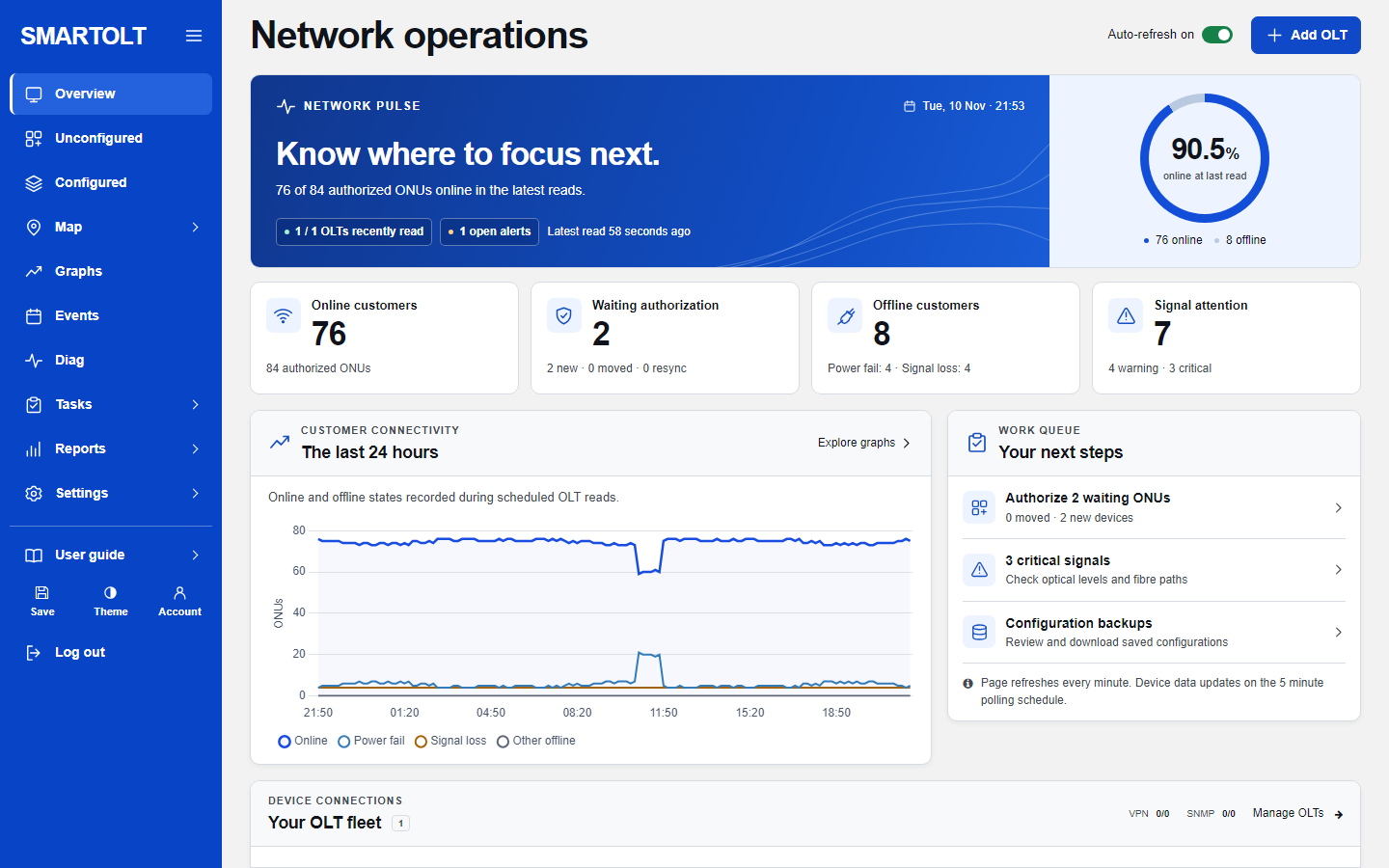
The overview page of the panel with online and offline ONU counts

Supported OLTs

Huawei, ZTE and V-SOL. Huawei MA5600T models retain monitoring and configuration. New model families start with read-only GPON monitoring, subject to their firmware format. Check the model list and available features.

Your whole network on one screen

The overview shows how many customers are online, who is waiting to be authorized, who dropped and why (power failure or signal loss), and which optical signals need attention.

  • Online, offline and waiting ONUs at a glance
  • The last 24 hours of connectivity as a chart
  • A work queue that tells you what to look at next
Guide: the overview page

Every ONU, searchable and sortable

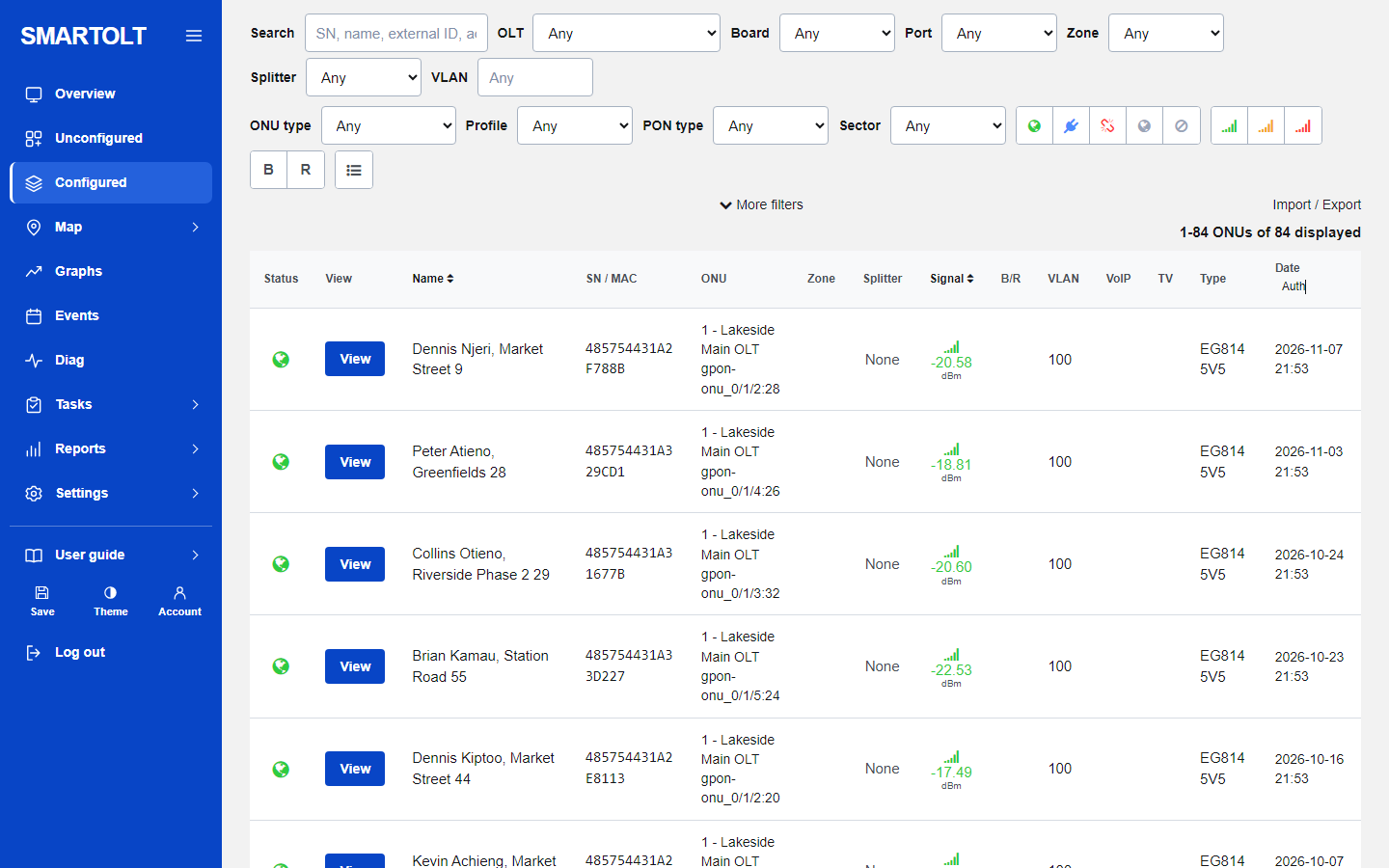
Find a customer by name, serial number, zone or PON port. Each row shows status, optical signal, VLAN and when the ONU was last seen.

  • Filter by OLT, board, port, zone, status or signal
  • Reboot, disable, enable or delete from the browser
  • Bulk actions on many ONUs at once, with a safety count

Guide: find and manage ONUs

Every ONU, searchable and sortable

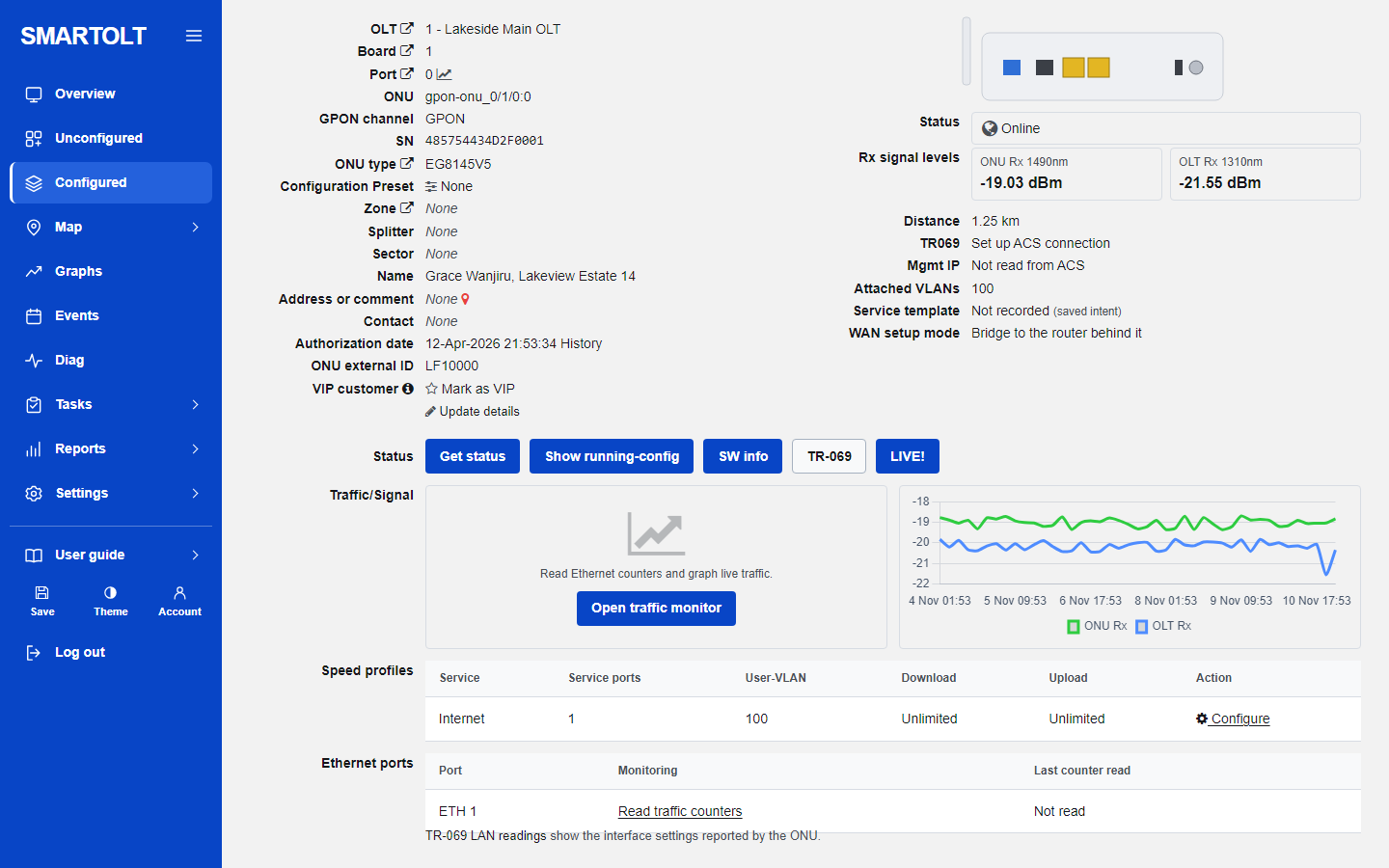
The full story of one ONU

Open any ONU to see its optical levels, distance, uptime, Ethernet ports and service VLANs, with the history of signal and status changes.

  • Signal history over days, so you can see a fibre getting worse
  • Change VLAN, speed profile or description in place
  • Replace a faulty ONU by serial number

Guide: the ONU page

The full story of one ONU

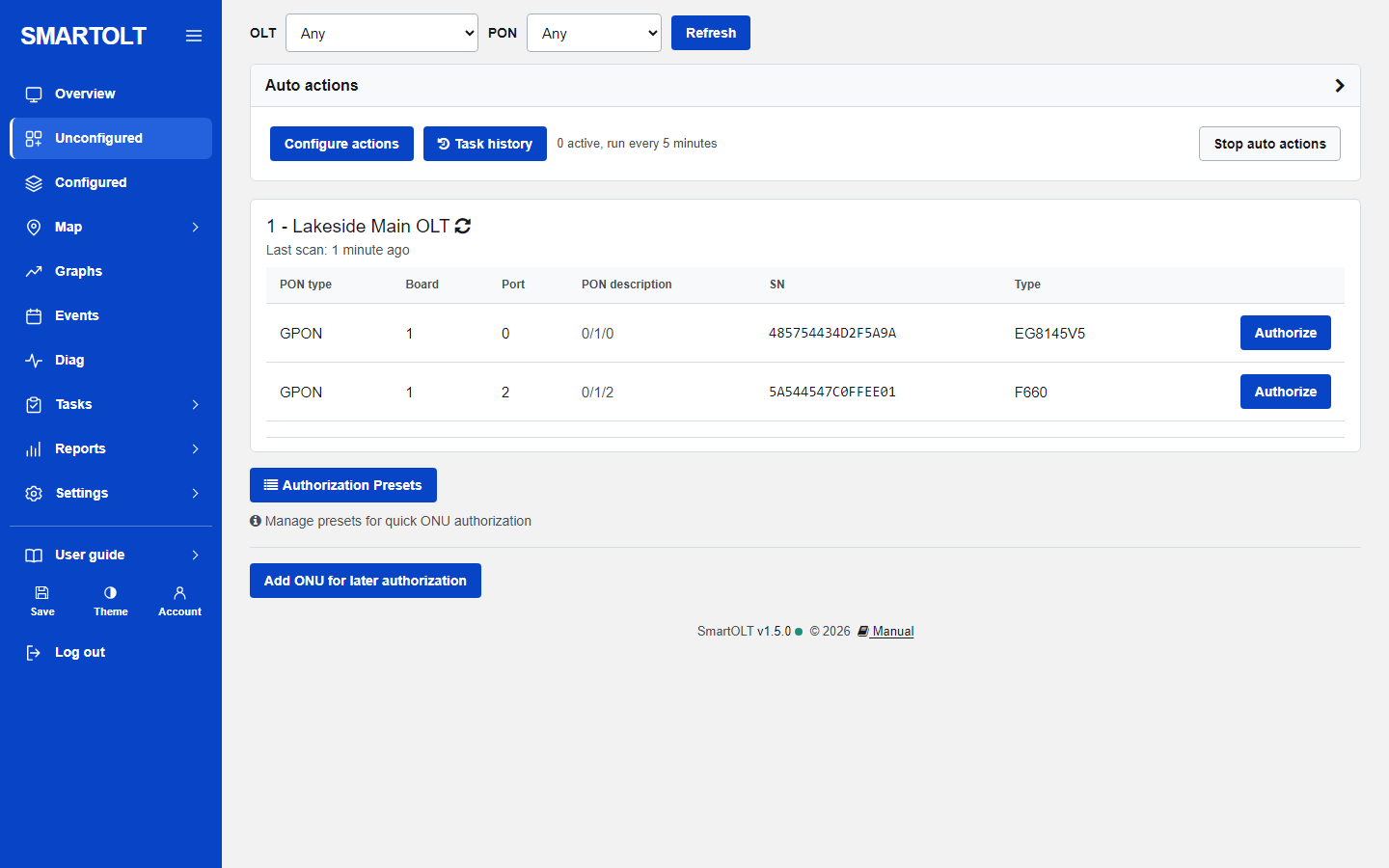
Authorize new ONUs in seconds

ONUs that are plugged in but not yet configured appear by themselves. Pick the customer details and press authorize; presets fill in the VLANs and profiles for you.

  • New, moved and resync ONUs listed separately
  • Presets and auto actions for the repeat work
  • Zones, splitters and ONU types keep the records tidy

Guide: authorize a new ONU

Authorize new ONUs in seconds

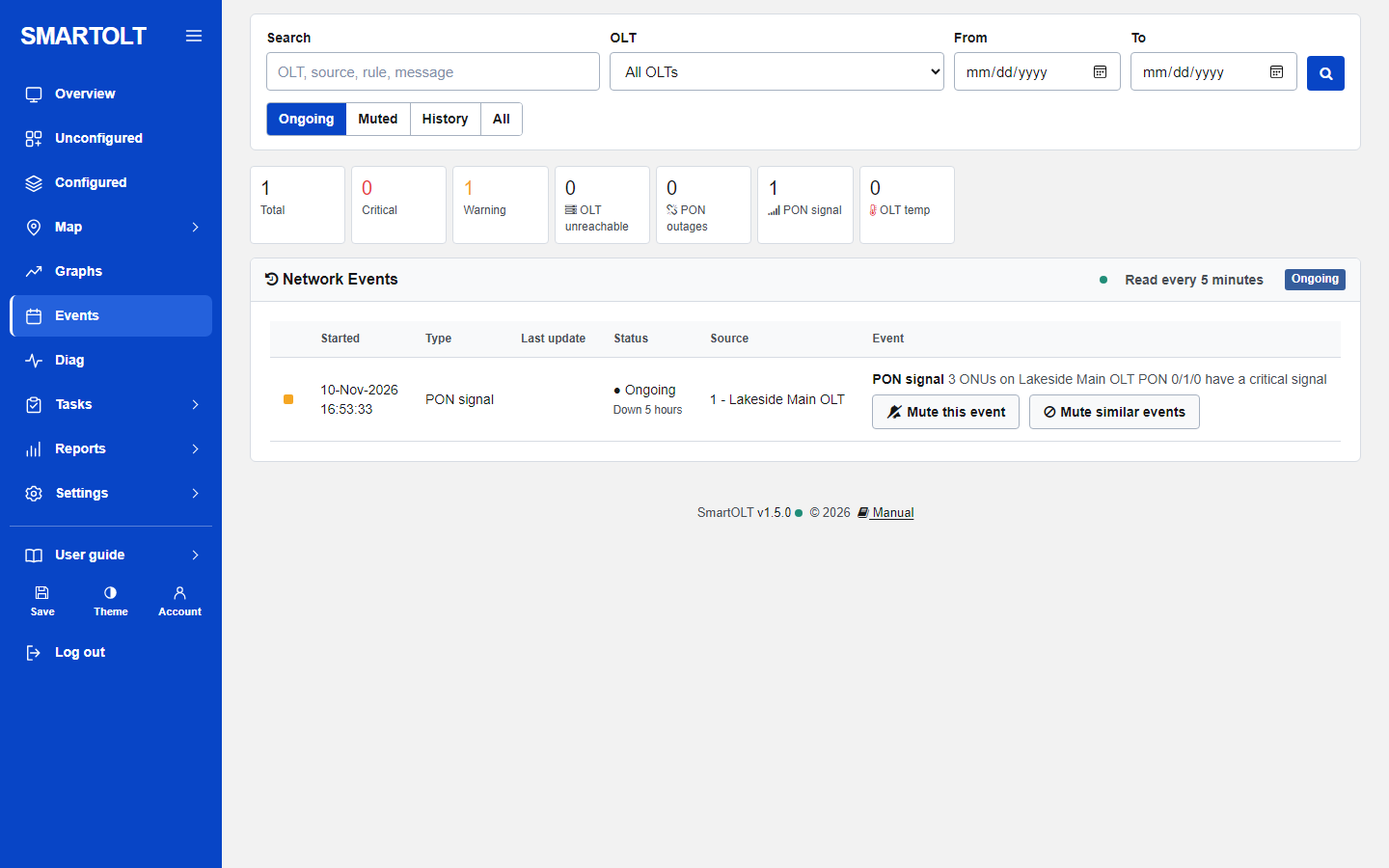
Know about a fault before the customer calls

The panel reads every OLT on a schedule and raises an alarm when an OLT stops answering, a PON port loses its ONUs or signals go bad.

  • OLT, PON port and signal alarms with a clear history
  • Offline ONUs split into power failure and signal loss
  • Tickets and task history for your technicians

Guide: alarms and events

Know about a fault before the customer calls

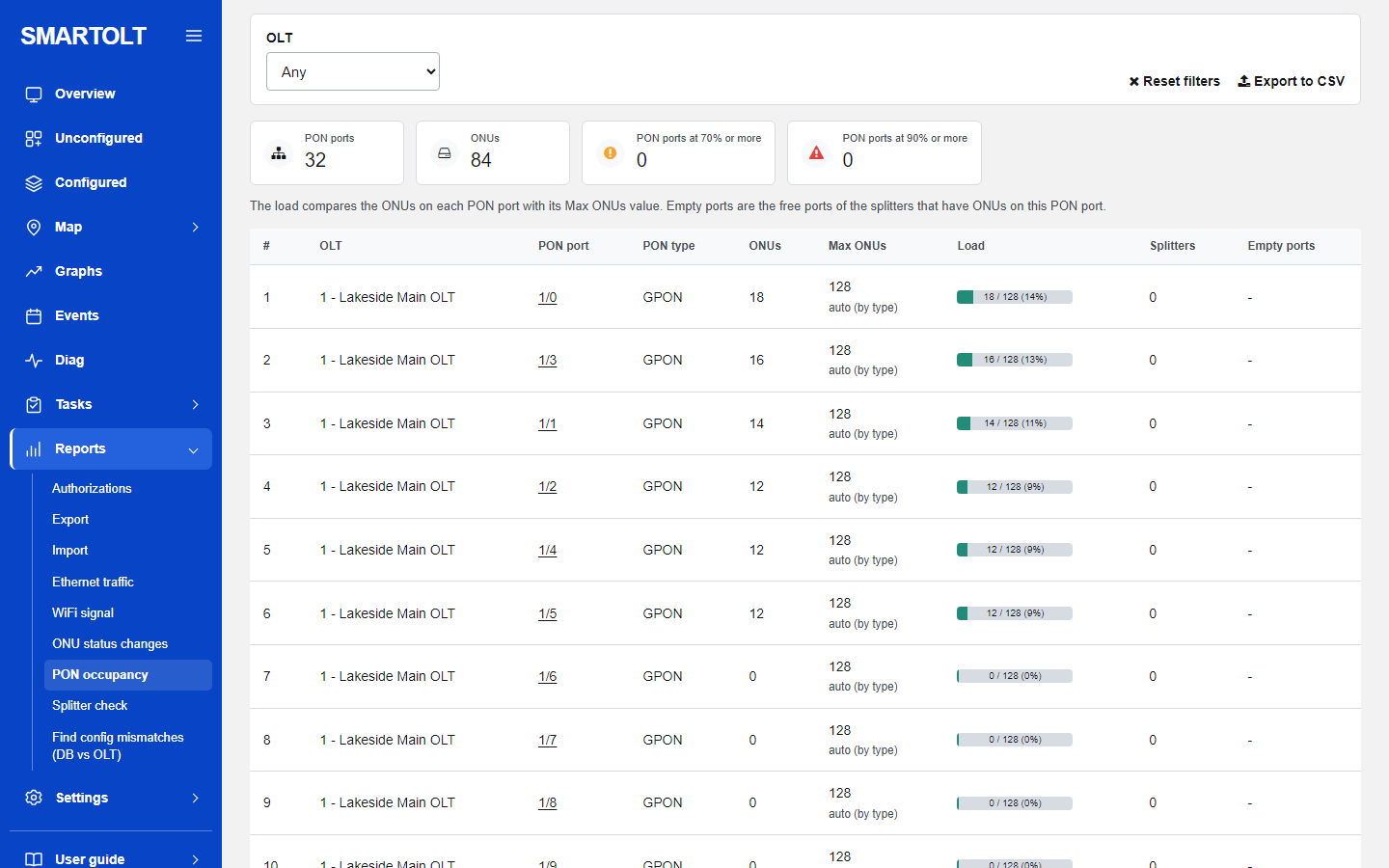
Graphs and reports

See connectivity and signal trends, PON port occupancy, status changes and authorizations, and export or import your ONU records.

  • PON occupancy and splitter checks
  • Ethernet traffic and WiFi signal reports
  • A check that finds differences between the panel and the OLT

Guide: graphs and reports

Graphs and reports

Connect an OLT anywhere, even without a public address

Add an OLT by its public address, or through the built in OpenVPN server: your MikroTik router dials in and the panel reaches the OLT through it. A step by step checklist shows exactly which part of the connection is failing.

  • Ready made MikroTik script for the OpenVPN tunnel
  • Connection checklist that names the failing step
  • Scheduled backups of the OLT configuration

Guide: connect through OpenVPN and MikroTik

Also included

How it works

  1. Sign upGive your company name, your email address and a site name. Confirm the email and choose a password.
  2. Add your OLTEnter its address and login. No public address? Paste the ready made script into your MikroTik and the OpenVPN tunnel comes up.
  3. Run your networkYour ONUs appear by themselves. Authorize, monitor and fix from any browser.

Ready when you are

Create your panel now and add your first OLT in the next few minutes. It is free, with no card and no limit on OLTs.

Create my free panel Sign in Read the getting started guide

Questions

Is it really free?

Yes. There is no card, no trial period and no limit on the number of OLTs or ONUs.

Which OLTs work?

Huawei, ZTE and V-SOL GPON model families. New drivers offer read-only monitoring. Features and firmware requirements vary by model. See supported OLTs.

My OLT has no public address. Can I still use it?

Yes. The panel has a built in OpenVPN server. You paste a short script into a MikroTik router on the same network as the OLT, the router dials in, and the panel reaches the OLT through that tunnel. See the OpenVPN guide.

What does the panel change on my OLT?

Reading is automatic: status, signals and new ONUs. Nothing is changed on the OLT unless you press a button for it, such as authorize, reboot or a VLAN change, or you set up an auto action that does it for you.

Who can see my data?

Each ISP has its own panel and its own database. OLT passwords are stored encrypted. Read more under security and your data.

All questions and answers